
3 Best Home Theater Projectors for Different Rooms in 2026
The short answer
Best for a dedicated or light-controlled room where a large image matters. Skip it when bright daylight cannot be controlled; a TV will hold contrast better.
Our top 3 picks
- 1Best for a dedicated theater
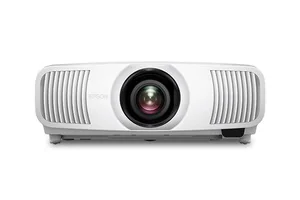 Epson Home Cinema LS11000View at EpsonRead our analysis
 - 2Best for some ambient light
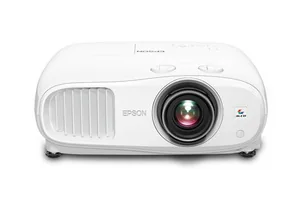 Epson Home Cinema 3800View at EpsonRead our analysis
 - 3Best LED/DLP alternative
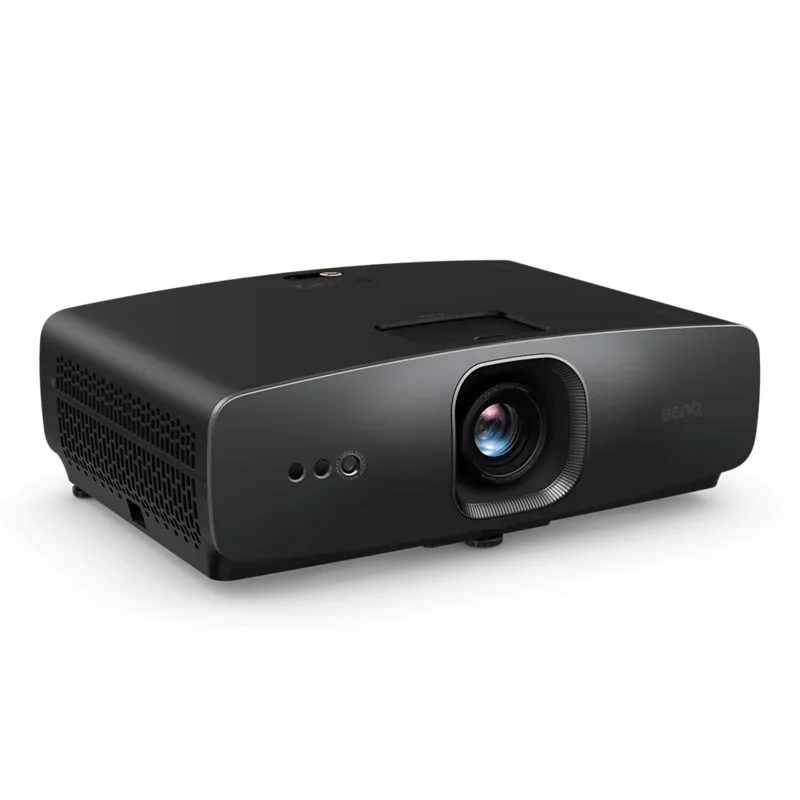 BenQ W2720iView at BenQRead our analysis
The best home theater projector fits your light and image, plus mount plan. A model suited to a dark theater may be wrong for daytime TV. Measure before choosing. These choices use specifications checked on September 26 and named primary sources.
1. Epson Home Cinema LS11000: a laser projector for a planned theater
The LS11000 is a good fit when the screen and mount, plus light control are part of one room plan. Epson's manufacturer page describes a laser array, 3-chip 3LCD and 4K PRO-UHD pixel shifting. Epson lists 2,500 color lumens under IDMS and 2,500 white lumens under ISO. Those are manufacturer ratings, not our room measurements.
The useful buying distinction is the installation flexibility. Epson lists powered focus and zoom with motorized horizontal and vertical lens shift. That lets you position the image with the lens rather than relying on digital corner correction. It does not mean you can put the projector anywhere in the room.
Start with the mount and image, not the model name
Mark the lens position on your drawing. Measure from that position to the screen plane. Do not measure from the rear of the cabinet or the back wall. The throw range uses the lens-to-image distance. Then compare the intended image width with the exact Epson throw information.
Allow space for the whole cabinet and the cooling path. The lens mark does not cover power plugs, HDMI bends or service access. A shelf deep enough for the cabinet may still press a connector against the wall. Check the manual before fixing the shelf position.
Powered lens control is useful when the mount is high or awkward to reach. It also helps when changing a planned image size. But it cannot move a joist or create a safe fixing point. A structural ceiling mount needs hardware and load support suited to the building, not just the projector weight on a listing.
Understand pixel shifting without a false native claim
Epson calls this 4K PRO-UHD. The manufacturer page explains that its display technology produces an 8.29-million-pixel on-screen image. That is not the same description as a native 4K panel. Keep the display method clear when comparing models instead of treating every 4K label as the same hardware.
For buying purposes, check what signals the projector accepts and how it displays them. A good 4K source can provide detail that an older source lacks. It does not make all streams equally sharp. Compression, focus and screen condition still affect the image.
Use the content you watch when judging a demonstration. A clean still image may show focus well but tell you little about movement or a dark film scene. A bright trailer may make an image seem more vivid without showing how shadow detail looks.
A laser changes maintenance, not the room's daylight
The LS11000 has a laser light source. That removes the ordinary replaceable-lamp cycle from this comparison. It does not mean the projector needs no cooling or cleaning, or else service. Follow Epson's instructions for filters and ventilation, plus safe installation.
A laser also does not cancel light on the screen. If daytime sun reaches the image, start with curtains, shading or a different display choice. Increasing output can brighten the image, but it cannot turn a lit screen into a dark one. Check the room at the time of day you will use it.
If the only useful screen wall faces windows, a TV may be the more practical route. If the room can be dark for film nights, the laser theater plan is easier to justify. Keep that room distinction ahead of a light-source preference.
Verify the source chain for gaming
Epson lists dual HDMI ports and 4K HDR handling up to 120 Hz. That is a listed capability, not proof that your console is set to use it. Check the console output, cable path and any receiver between it and the projector. Every part needs to pass the intended signal.
A receiver that handles an older format can limit a newer source. A cable run that works at one setting may not work at another. Before hiding the cable in a wall or conduit, check the final route with the actual devices. Keep access for replacement rather than treating a successful loose-cable check as the final installation.
Manufacturer gaming statements and a personal same-room test are different evidence. If gaming is the main use, verify the exact mode and format that matter to you.
Who should choose it
Choose the LS11000 when you have a light-controlled room and a verified mount-and-screen plan. Its motorized lens controls and laser design are the documented reasons to compare it. Skip it when those features do not solve your room problem. For a shared room with uncontrolled light, resolve the display choice before moving up to a laser projector.
The Epson manufacturer page supports the listed features. Its presence does not establish current retailer stock or the exact seller package. Confirm the model and included items on the offer before purchase.
Our verdict:
Best for a dedicated theater
Best for A light-controlled room where lens flexibility and a laser light source matter.
View at EpsonKeep in mind: Its home-cinema strengths are harder to justify in a bright shared room.
2. Epson Home Cinema 3800: a lamp-based 3LCD alternative
The Home Cinema 3800 is the lamp-based Epson option here. Its listed specifications include 3-chip 3LCD, 4K PRO-UHD processing and HDR support. Those facts make it a different maintenance choice from the LS11000. They do not establish that it wins every bright-room comparison.
This route fits a buyer willing to manage lamp replacement and a conventional throw installation. Check the exact manual's throw and mounting information. A familiar brand name does not make two models interchangeable on the same ceiling mount or at the same distance.
Plan lamp access before putting it overhead
The lamp is a service item. Find the access panel in the manual. Check whether the mount or shelf will block it. Also check the procedure for cooling and disconnecting the unit before any service. An awkward location can turn a routine replacement into a difficult removal job.
Do not choose a replacement lamp from a generic size description. Use the selected part number for the model and follow the safety instructions. We do not quote a replacement cost or predict a personal lamp life from a broad technology claim.
Keep the maintenance plan next to the installation drawing. Note who can reach the projector safely and where the model information will be kept. If a unit can only be reached by standing on furniture, rethink the placement before buying.
Match the image size to the room
Use visible image width when reading the throw chart. A 120-inch diagonal does not mean a 120-inch-wide screen. The screen size calculator gives the image width and height for the selected ratio. Add the physical frame separately.
Now compare lens distance with the 3800's range at that width. If the range does not cover your intended position, change the screen size or lens position. Do not assume digital correction can solve a wrong throw distance. It adjusts image geometry, not the room's available lens range.
Next check the seat positions with the viewing-distance tool. That tool compares geometric angles. It is not a throw calculator and does not issue a comfort certificate. Try the planned image boundary from the seats before fixing either position.
Keep brightness and HDR in context
HDR support means the projector can handle a supported high-dynamic-range signal. It does not promise the same peak-light behavior as every HDR TV. Projected image size, screen material and settings, plus room light affect the result. A logo alone is not a reason to choose it for a sunlit wall.
Check the room with lights and curtains in the intended viewing state. Include any light from an adjoining kitchen or hall. If the image is only useful late at night, be honest about whether that matches daily use. A projector that suits scheduled film nights may be wrong for daytime family TV.
Compare picture modes at a similar visible brightness if you view a demonstration. Do not judge one model in a vivid showroom mode against another in a quiet cinema mode.
Check sound routing before buying
Decide whether your source goes through an AV receiver or another audio system. A projector's picture connection does not decide the speaker layout. Confirm which device switches inputs and which decodes sound. Draw that chain instead of trying to solve it after the projector arrives.
For a receiver-based room, verify the receiver's video pass-through settings with the source and display. For another route, check the exact audio connection and supported formats. Do not assume every projector has the same return-audio features. The LS11000's listed eARC feature is not evidence about the 3800.
If you want a simple bar-led audio setup, use the soundbar comparison to plan that side. If you want separate speakers, use the complete-system guide. Keep picture and audio choices connected without confusing their specifications.
Who should choose it
Choose the 3800 when the verified lens position fits and you accept the lamp service plan. Compare the LS11000 when laser maintenance and motorized installation features are the specific reason to move up. Compare the W2720i when you want a DLP option and its exact fit checks pass.
We do not publish a current price, seller stock claim or side-by-side noise score. Those are not in the specifications reviewed for this comparison. Confirm the precise Home Cinema 3800 model and current seller package before ordering. Do not accept a nearby model name as the same projector.
Our verdict:
Best for some ambient light
Best for A multipurpose room that needs more brightness than a dark theater.
View at EpsonKeep in mind: It uses a replaceable lamp rather than a laser light source.
3. BenQ W2720i: a 4K DLP choice with a different installation plan
The W2720i is the DLP option in this comparison. BenQ specifications list 4K UHD and 2,500 ANSI lumens. BenQ's manufacturer page identifies it as a 4K LED home projector. Its LED light source needs a different service plan from a replaceable lamp.
Do not choose it just because a smaller-looking cabinet seems easier to place. Check the cabinet dimensions, throw chart and offset in the exact manual. A compact housing can still need a specific image-to-lens position. Its lens adjustment is not the same as the Epson laser model's.
Check the small lens-shift allowance
BenQ lists ±5% vertical lens shift for W2720i. That is a limited adjustment. It does not permit any mount height. Check how the manual measures it and which combined settings are allowed. Set lens height from that diagram.
Mark the image top and bottom on the wall. Mark the lens height at the proposed shelf or mount. Then use the exact placement diagram to confirm the relationship. Do not estimate it from a product photograph showing a different room.
Keep digital keystone correction separate from lens shift. Lens shift changes the optical position of the image. Keystone changes its geometry digitally. Use the model's setup instructions rather than treating those controls as identical ways to fix any mount error.
Compare display methods honestly
DLP and 3LCD are different display systems. A label does not tell you which picture you will prefer. If you can see the exact model, watch both dark and bright content and check movement. Use a familiar source so you are comparing the projector rather than a new demo clip.
Viewers can notice image artifacts differently. A display-method label does not rule out every artifact. Try the exact model if possible.
4K UHD is also not a guarantee that every streamed program contains fine 4K detail. Source quality and focus still matter. Confirm the input format and the projector's actual displayed mode rather than relying only on a service's marketing badge.
LED is not a universal lifespan promise
BenQ identifies an LED light source. Follow its cooling and service guidance. Do not turn a light-source category into a claim that the unit will remain equally bright forever. A rated life under stated conditions is different from a personal-use guarantee.
Before installation, find the ventilation openings and required clearance. A tidy cabinet recess can be a poor idea if it traps warm air. Check how cables enter and whether anyone can clean or service the unit safely.
The LED route may suit someone who does not want routine lamp replacement. That does not settle the room-fit comparison. A correctly installed lamp projector can still be a better purchase than an LED model whose throw range misses your screen plan.
Confirm the actual source setup
List the devices you expect to connect. Check the exact W2720i connections and software requirements rather than inferring them from the letter suffix. A model's smart functions do not prove support for every streaming service or plan, or else audio route.
If a source runs through a receiver, verify the whole chain with the final settings. If it connects directly, decide where sound goes. Neither approach is automatically correct for every room. Keep the wiring diagram beside the screen and seat drawing.
Test the intended signal before enclosing the cable route. Record the device settings that work. A cable length estimate is not proof of performance at that signal format. Avoid a hard-to-access route until the actual equipment path has been checked.
Who should choose it
Choose the W2720i when you want this 4K DLP/LED route and its exact placement requirements fit. Its more limited vertical shift calls for a deliberate mount plan. Compare the Epson choices when their documented placement or maintenance route better matches the room.
The BenQ specifications was reviewed on October 1. It supports the LED description and vertical-shift fact used here. We have not assigned ambiguous comparison-table figures to this model. Current merchant stock and variant, plus bundle contents remain purchase-time checks.
Our verdict:
Best LED/DLP alternative
Best for A standard-throw setup where a compact 4K DLP projector fits the plan.
View at BenQKeep in mind: Confirm the exact throw range and mounting needs before choosing it.
Factors to consider when choosing the best home theater projector
Start with light, not lumens
Compare brightness with room light and image size. Check these room states:
- Fully dark, dedicated room. Lower light output goes further here; the projector isn't fighting anything. This is where a smaller, less expensive projector can still produce a genuinely impressive image.
- Room with controllable light (curtains, blinds, evening-only viewing). Mid-range brightness generally covers this well, especially paired with a screen material chosen for the room.
- Room with light you can't fully block. This is the case that pushes buyers toward higher brightness and, often, an ambient-light-rejecting (ALR) screen rather than brightness alone; a brighter projector helps, but screen material matters just as much once real daylight is in the room.
Compare output with actual room light and screen size. A high lumen figure does not establish contrast under daylight. Check the rating's method too.
Throw distance: where the projector actually goes
Check the throw type against lens position and image width. These routes need different room plans:
- Standard throw projectors sit several feet to tens of feet back from the screen, most commonly ceiling-mounted or placed on a rear shelf. This is the most common setup for a dedicated or semi-dedicated room with room to mount overhead.
- Short-throw projectors sit much closer to the screen while still producing a large image, useful when ceiling mounting isn't possible or desirable.
- Ultra-short-throw projectors sit just in front of or below the screen, almost like a soundbar-height piece of furniture, and are built specifically for rooms where a ceiling mount or long throw distance isn't practical; a shared living room, for example, where a visible ceiling mount and long cable run aren't welcome.
Throw distance and image width are linked. Read the chart for the exact width you want. The lens position must fall inside that range. A suitable wall does not establish a suitable throw.
Resolution: match it to your source, not just the display
Check input and display method separately. Pixel shifting and upscaling do different jobs. A 4K input does not prove a native 4K panel. Streams can differ in detail too. Use familiar content to check focus.
Light source: lamp, laser, or LED
Check the light source and its service needs. The exact model matters more than a broad technology label:
- Replaceable lamps need a model-specific service plan. Check the replacement part and access before mounting the projector.
- Laser light sources use a different service design from a replaceable lamp. Read the exact model's maintenance instructions.
- LED light sources also need model-specific cooling and service checks. The technology name alone does not rank price or brightness.
Compare the exact service plan for each model. A laser or LED label is not a promise of no maintenance. A lamp label does not prove a lower current price.
Get your room's numbers before comparing models
Measure the planned image and lens position before comparing models. Keep seat distance separate. Use the following guides for each part of that plan:
- Viewing distance and screen size. Use the viewing guide to compare image angles from your seats. The screen size tool returns width and height from diagonal and ratio. It does not recommend a size or comfort level.
- Screen type. A projector's image quality depends on what it's projecting onto as much as the projector itself, especially in any room with ambient light. See the projector screen guide for how fixed-frame, retractable, and ALR screens compare.
Use the viewing tool to compare two geometric angles. Check comfort from the real seats.
Where a projector fits in the bigger setup
A projector and screen are one piece of a larger system, and the order you plan them in matters:
- Room and seating come first; see home theater setup for the full planning order.
- Speaker layout and receiver choice depend partly on screen size and room shape once they're settled; see the complete home theater system guide.
- Sound can come from a soundbar or a full speaker system; see best soundbar or Dolby Atmos speaker placement depending on which direction you're headed.
- Seating layout affects both screen size (viewing angle for off-center seats) and speaker placement; see best home theater seating.
Common mistakes when shopping for a projector
- Shopping by lumens alone, ignoring the room. The same projector can look excellent in one room and disappointing in another purely because of ambient light differences.
- Picking screen size before measuring viewing distance. A showroom image does not establish a suitable size for your own seats. Measure your room first.
- Ignoring throw distance until after buying. A projector that needs more throw distance than your room's ceiling or rear wall allows for the screen size you want is a mismatch no amount of settings tweaking fixes.
- Assuming higher resolution always helps. Past the resolution of your actual source content and viewing distance, more resolution stops being something you can perceive.
Where to see actual products
The three offers below belong to this guide. Use good projectors for home theater for a shorter comparison. A dated specification is not a current-stock guarantee.
How we picked the best home theater projector choices
We used the listed product specifications to compare room fit, light source and installation needs. We also checked Epson's LS11000 manufacturer page and BenQ's W2720i manufacturer page on October 1. This is a specification-led comparison. We have not installed all three in one room or measured their contrast, color, fan noise or input lag ourselves.
The order below reflects different room tasks. The LS11000 is the laser route for a planned theater. The 3800 is the lamp-based alternative. The W2720i is a 4K DLP choice that needs an exact installation check.
Write down three different distances
Keep seat-to-screen, lens-to-screen and wall clearance separate. Seat distance helps you compare viewing angles. Lens distance determines whether the projector can fill the chosen image. Cabinet clearance allows cooling and plugs, plus service. None of those measurements replaces the other two.
Measure from the actual eye position when seated. For a recliner, also check the position with the chair in its normal viewing mode. Measure throw from the lens to the image plane. For a screen on a frame, the wall and screen plane may not be identical.
Use one unit system throughout a calculation. Convert at the end when needed. If a manufacturer's chart uses image width, do not enter diagonal. If it uses diagonal for a fixed ratio, confirm that ratio. Many apparent projector-fit problems are measurement mismatches rather than a bad lens.
Choose image shape before selecting the frame
16:9 is a common TV and projector-image shape, but films can have other ratios. A wider film can show bars within a 16:9 image. That is not evidence that the projector is defective. A wider screen is a separate masking and lens decision.
Use the screen guide to compare materials and frame types. If you want a permanent white screen, the fixed-frame review gives one specific choice with explicit fit limits. Do not assume its 120-inch size follows from the projector model.
For a portrait image, check the permitted projector orientation. Width and height math does not permit turning a unit on its side. Cooling and safe use still follow the manual.
Review the screen material and room together
A screen changes how projected light reaches the seats. Material, gain and viewing angle matter together. Do not label every white surface suitable for daylight. Do not label every light-rejecting surface compatible with every throw type.
Use the ALR guide for surface fit. Check the intended projector and room-light directions. An ultra-short-throw material may not suit these standard-throw plans. The exact surface matters.
Check all seats, especially the ends of a wide row. A material that looks bright straight on may differ off-axis. If a sample is available, evaluate it under the light you use. We do not infer a full-room result from a gain number alone.
Treat a demonstration as a comparison, not a verdict
Use the same source and similar modes when possible. Look at text focus, movement, dark detail and ordinary bright scenes. Repeat the focus check with subtitles near the edge of the image. Listen for fan noise from the position where you will sit. A store's distance and room noise may differ from yours.
A brief demo is not an endurance test. Keep observations separate from listed specs. This guide uses manufacturer pages and listed specificationss.
Work through a 120-inch example without guessing fit
For a 120-inch 16:9 image, width is about 104.6 inches. Height is about 58.8 inches. These are visible image dimensions, not outside-frame dimensions. The frame and cabinet, plus speaker below may need more wall space.
Suppose your proposed mount puts the lens at a known distance from that image plane. That measurement must fall within the model's throw range at 104.6 inches of image width. A mount far enough from the wall is not necessarily far enough from a screen that stands forward on a frame. Measure the actual image plane.
Do the same check at another possible diagonal before choosing a fixed frame. A smaller image may fit a shorter throw, but only the exact chart can establish the supported range. Do not invent a throw ratio from a broad standard-throw label.
Keep the seat check separate. The site's viewing-distance tool uses 40° and 30° examples to show how geometry changes. It does not prescribe one seating rule. Check the taped image from your actual seated eye positions before committing to either the diagonal or mount.
This worked example is arithmetic and a planning sequence. It is not a test of the three projectors, a current comfort standard or permission to mount an unknown ceiling. Retain that distinction when comparing a seller's room photograph with your own plan.
Safe fixing and later service
Check the mounting instructions, rated hardware and building support. Keep the projector out of a blocked heat path. Do not route a mains cord through a wall as a substitute for proper electrical work. Get qualified help when the fixing or circuit cannot be verified.
Leave a route to service and disconnect the equipment. Label source cables at both ends. Keep model numbers and manuals with the room plan. Those details make future troubleshooting easier without assuming a new product will never need attention.
The best home theater projector is the one whose documented fit matches your light and screen, plus mount. Return to the room-first setup guide if those decisions are still open. Use good projectors for home theater for the shorter model comparison, not as a detour required to reach these offers.
More in this guide
- TV resolutions explained: 1080p, 2K, 4K/UHD and 8K
- Best viewing distance from a TV or projector screen
- TV and projector viewing distance calculator
Our picks in this topic
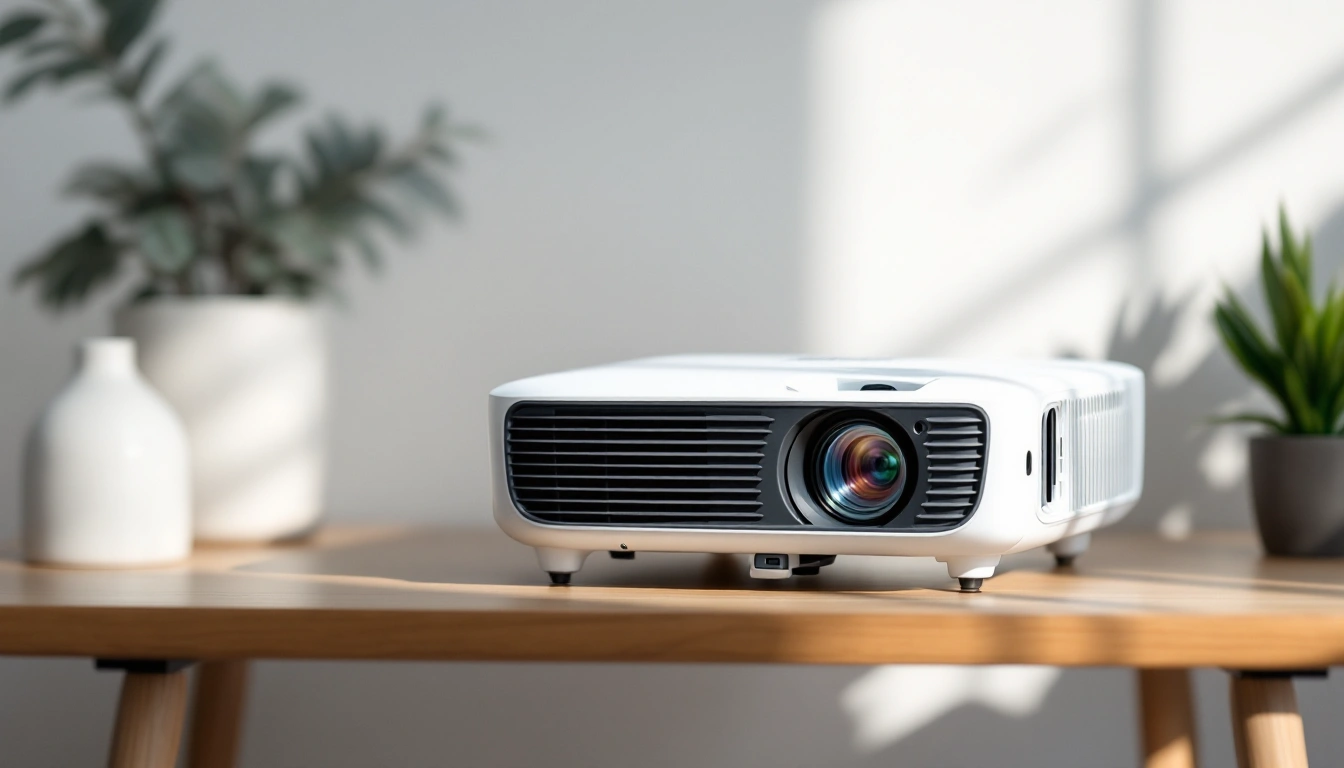
3 picks
3 Good Projectors for Home Theater in 2026
What actually separates a good home theater projector from a bad fit for your room: brightness, contrast, throw distance, and lens shift.
Questions people also ask
What's the single most important spec when choosing a projector?
Light output matched to your room's actual ambient light, not a standalone lumen number. A projector that's plenty bright for a dark, dedicated room can look washed out in a room with daytime light, regardless of how impressive its spec sheet looks in isolation.
Do I need a screen, or can I project on a wall?
A wall can help you check image size before buying. Try the view from your seats with the lights you use. A screen is not a guaranteed contrast or color upgrade: the surface and room light matter. Use the projector screen guide to compare screen types and fit.
How do I know what size projector image will actually fit my room?
Try the proposed image from your actual seats. The screen-size tool takes diagonal and aspect ratio, then returns visible width and height. It does not take seat distance or choose comfort. Add frame dimensions separately, and check the exact projector's throw range at that image width before fixing a mount.