
3 Good Projectors for Home Theater in 2026
The short answer
Best for: a room you can darken reasonably well, matched to your actual throw distance and screen size. Skip if: your room has uncontrollable daylight; a bright TV panel will outperform almost any projector there.
Our top 3 picks
- 1Best for a dedicated theater
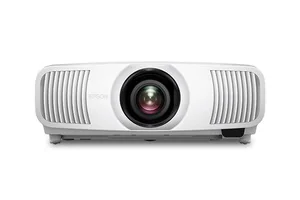 Epson Home Cinema LS11000View at EpsonRead our analysis
 - 2Best for some ambient light
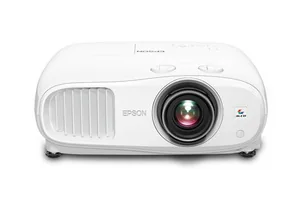 Epson Home Cinema 3800View at EpsonRead our analysis
 - 3Best LED/DLP alternative
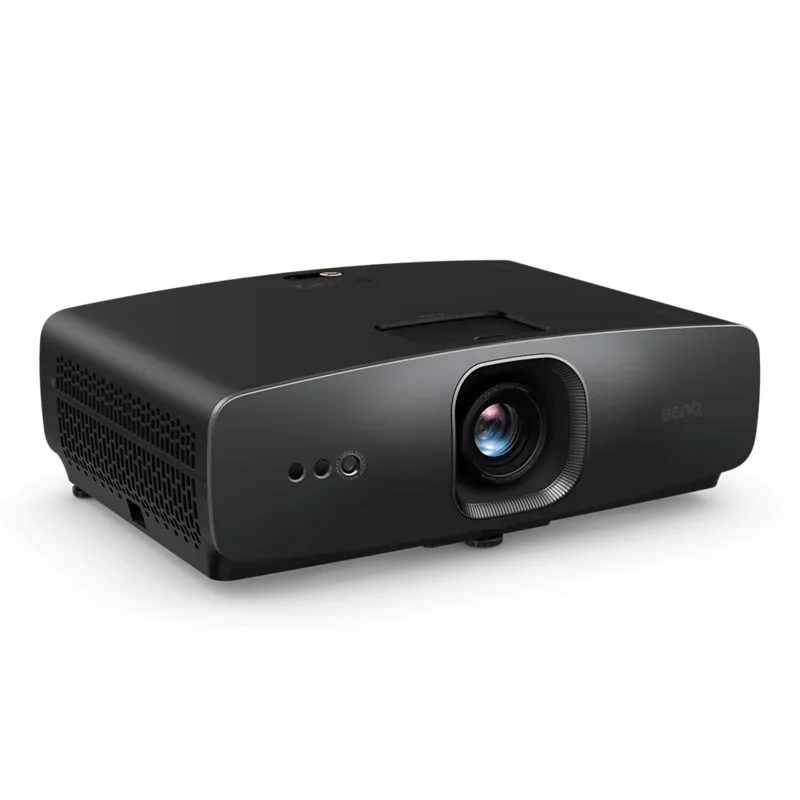 BenQ W2720iView at BenQRead our analysis
A good home theater projector for your room is one matched to three things you already know before you shop: how dark you can make the room, how far the projector will sit from the screen, and how big a picture you want at that distance. Brand and price tier matter less than getting those three matches right.
1. Epson Home Cinema LS11000: for a planned dark room
The LS11000 is our dedicated-room choice. Epson lists a laser light source, 4K PRO-UHD pixel shifting, 2,500 color and white lumens and 120 Hz support. The room-fit reason is the laser design and lens flexibility, not a claim that it wins every brightness test.
Confirm the mount position and image size with Epson's throw data. A seating-distance result cannot tell you where the lens belongs. Leave the cooling clearance required by the manual. Check the path for power and the source cable before choosing a ceiling mount.
Choose it when you can control light and want that installation route. In a bright shared room, first resolve the room and screen. A laser alone cannot stop daylight from washing out the image.
Our verdict:
Best for a dedicated theater
Best for A light-controlled room where lens flexibility and a laser light source matter.
View at EpsonKeep in mind: Its home-cinema strengths are harder to justify in a bright shared room.
2. Epson Home Cinema 3800: a lamp-based alternative
The 3800 uses a replaceable lamp. The listed specifications identifies 3-chip 3LCD, 4K PRO-UHD processing and HDR support. That is a different maintenance plan from the LS11000's laser design. Include access to the lamp when planning a shelf or mount.
Do not treat HDR support as a promise of TV-like brightness in daylight. Check the room at the time you watch. If light remains on the screen, curtains or a different display may do more than a setting change.
This choice fits someone willing to manage lamp replacement and a standard-throw installation. Use the exact throw chart at the intended image size. A model with familiar branding can still be wrong for the lens-to-screen distance you have.
Our verdict:
Best for some ambient light
Best for A multipurpose room that needs more brightness than a dark theater.
View at EpsonKeep in mind: It uses a replaceable lamp rather than a laser light source.
3. BenQ W2720i: a 4K DLP option to verify carefully
BenQ lists 4K UHD and 2,500 ANSI lumens for the W2720i. It uses DLP. Its listing contains fewer installation details than the Epson entries. We therefore keep the recommendation conditional on confirming its throw range and fit.
DLP and 3LCD describe different image systems. They do not by themselves establish which one you will prefer. If you can view the model, use the kind of content you watch. Do not mistake a high-contrast showroom clip for a test of your normal sources.
Choose it only after the exact manual confirms your screen and mount plan. If that evidence is missing, pause the purchase rather than guessing. Nothing in this comparison supplies a measured contrast, fan-noise or color score.
Our verdict:
Best LED/DLP alternative
Best for A standard-throw setup where a compact 4K DLP projector fits the plan.
View at BenQKeep in mind: Confirm the exact throw range and mounting needs before choosing it.
Factors to consider when choosing good projectors for home theater
Brightness has to match the room, not the spec sheet
Compare the lumen rating with image size and room light. A dark-room result does not prove daylight performance. Check the rating's method before comparing numbers. Inspect the room at the time you watch. Note glare and the light you can actually block.
Contrast ratio matters more in a dark room
Contrast describes the difference between dark and bright image levels under a stated test. Compare like tests. A headline ratio alone does not predict your room's black level. Light on the screen can limit contrast. We have no same-room measurements to rank these models by that result.
Throw distance and lens shift decide where it can go
Throw distance is lens-to-screen distance for a given image width. Check the model's range against the planned lens position. Short throw and standard throw need different room checks. Lens shift moves the image optically within a stated limit. It does not make every mount position possible.
Resolution: native matters more than upscaled
Distinguish input resolution, native panel resolution and pixel-shift display methods. They are not the same specification. Epson's PRO-UHD explains its display method. Do not call it a native 4K panel just because it accepts 4K. Source detail and focus also affect the image.
How to match a projector to your room, step by step
- Try a proposed image from the actual seats. Enter its diagonal and ratio into the screen size calculator for width and height. It does not take seat distance or recommend comfort.
- Measure the distance from your likely mounting spot to the screen, and check that distance against a candidate projector's throw-distance range for your target screen size.
- Be honest about your room's light control, and prioritize contrast over brightness if the room is genuinely dark, or prioritize brightness if some ambient light is unavoidable.
- Only then compare resolution and features between models that already fit your room's throw distance and light conditions.
Common mistakes worth avoiding
- Buying based on lumens alone. A high lumens count doesn't fix poor contrast, and it's wasted brightness in a room dark enough not to need it.
- Ignoring throw distance until after buying. A projector that can't reach your target screen size from your only realistic mounting spot is the wrong projector for that room, regardless of its other specs.
- Assuming any projector will look good with ambient light. Standard home theater projectors are designed around a dark or dim room; a bright TV panel is usually the better fit for a room you can't control light in.
How we picked good projectors for home theater
The three selected choices separate laser, replaceable-lamp and LED/DLP routes. We compared listed room fit and service needs. Epson's LS11000 and BenQ's W2720i manufacturer pages support the specific refreshed facts in the longer projector guide. The 3800 facts remain specifications checked on September 26.
No current price or stock ranking is used. Check the exact throw chart and orientation, plus cooling needs before choosing a model. The same models appear in the cards below, in the same order as their analyses.
Confirm each model's throw-ratio range against your actual room depth before buying. See the mistakes list above. For the broader system this projector will connect to, see the best home theater projector guide.
Get the image width from the screen-size tool. Measure lens-to-screen distance separately. Compare that pair with the model's throw chart. Then check ceiling and shelf, plus cable clearance.
Ask which listed brightness standard is being used. Color and white lumens and ANSI-lumen labels are not a license to compare numbers without their test conditions. For everyday use, the room's light and screen material still matter.
These good projectors for home theater fit different installation plans. For a longer room-first comparison, use the projector buying guide. Keep seller stock and price, plus variant checks separate from our listed product facts.
Questions people also ask
Does a screen-size result tell me where to mount the projector?
No. The tool calculates visible width and height from diagonal and ratio. Measure lens-to-image distance separately and use the exact model's throw chart at that image width. Include cabinet and cooling clearance. A wall that fits the frame does not prove the lens position will fill it.
Does a 4K label mean every projector uses a native 4K panel?
No. Accepted input, panel resolution, pixel shifting and upscaling are different facts. Read the maker's display-method description for the exact model. Epson calls these models PRO-UHD; that should not be silently restated as a native 4K panel. Source quality and focus also affect the visible detail.
Is a laser projector guaranteed to work well in daylight?
No. Laser describes the light source, not the room's light control. Check light on the screen at the time you watch. Screen material and image size also matter. Compare a TV or better shading when the room cannot be darkened rather than assuming the light-source label solves glare.
Which model here needs a lamp-replacement plan?
The Epson 3800 uses a replaceable lamp. LS11000 uses laser, and BenQ identifies W2720i as LED. Check each model's service and cooling instructions before choosing a mount. These categories do not supply a personal lifespan guarantee or establish that every future maintenance task disappears.