
3 Best Home Theater Receivers in 2026
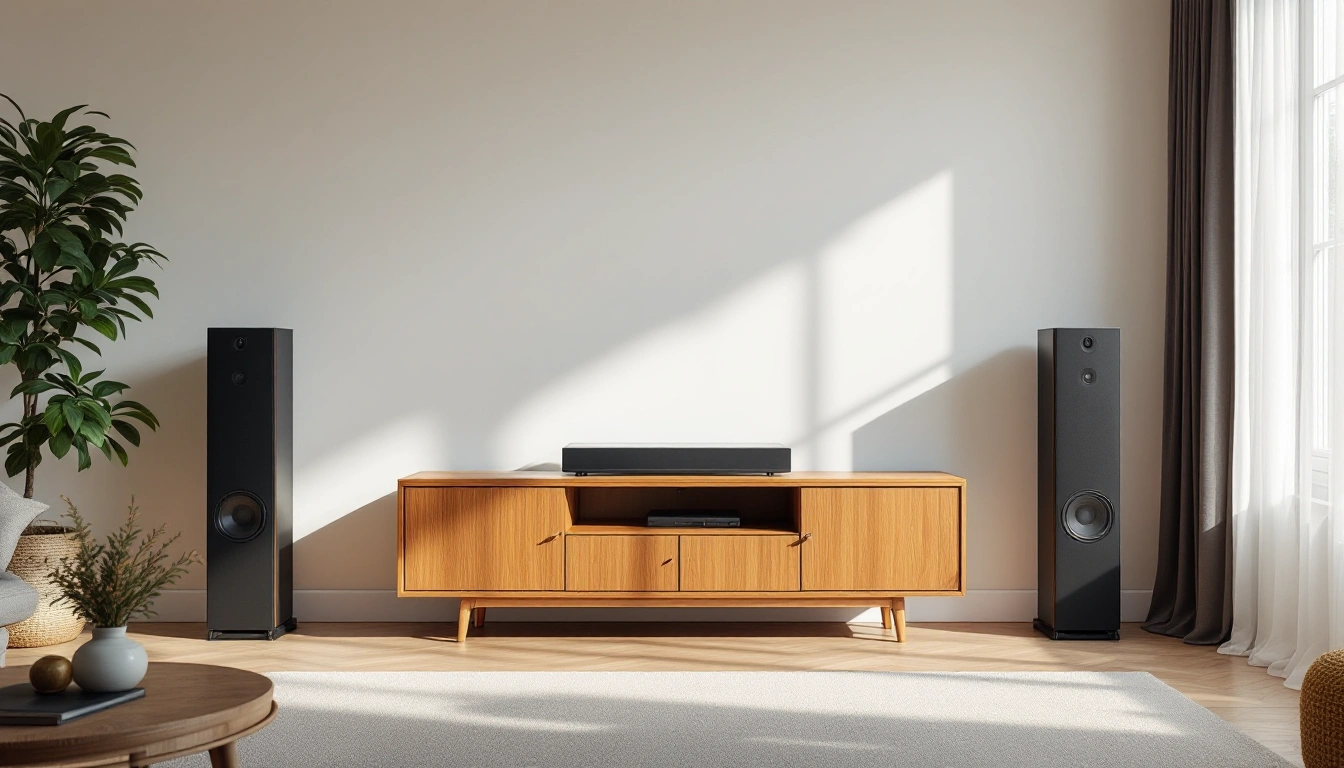
The short answer
Best for: buyers who've already settled on a speaker layout and need a receiver with enough channels and headroom for it. Skip the spec sheet entirely if you haven't yet decided how many speakers your room will actually hold.
Our top 3 picks
- 1Best mainstream 7.2-channel receiver
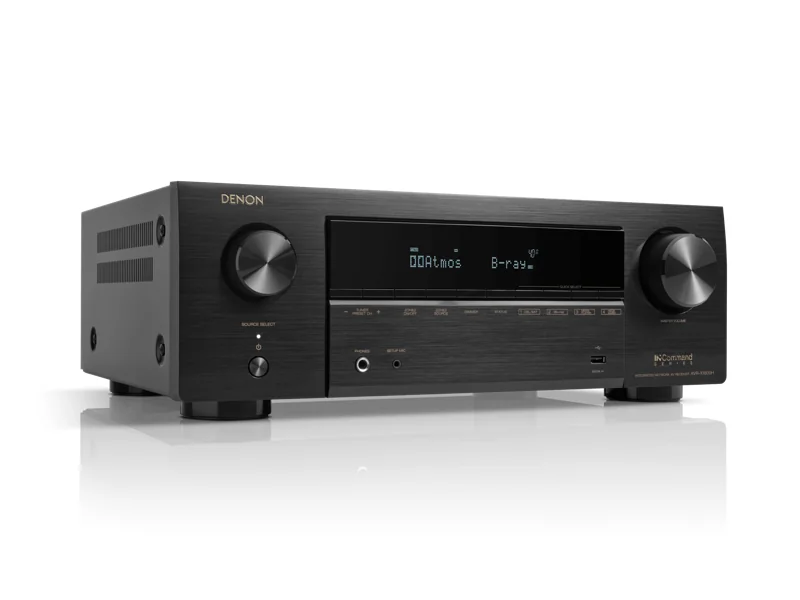 Denon AVR-X1800HView at DenonRead our analysis
 - 2Best for a larger Atmos layout
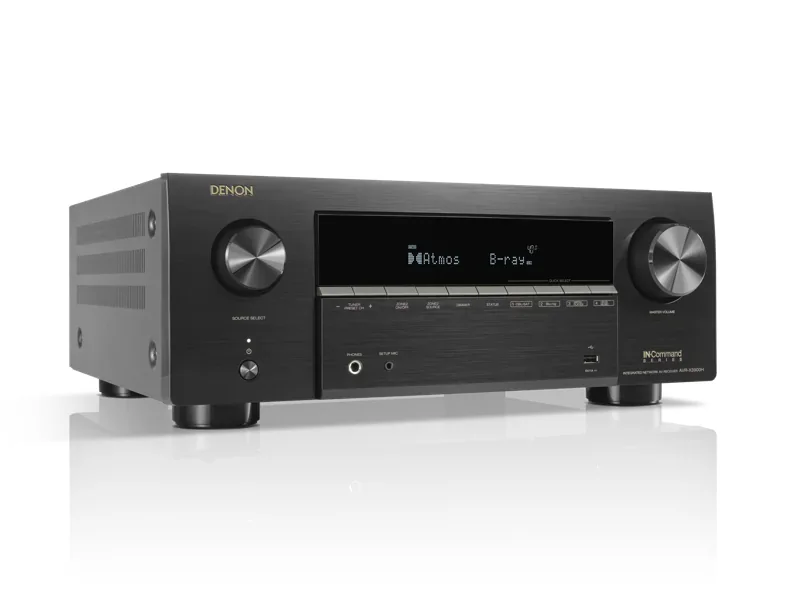 Denon AVR-X3900HView at DenonRead our analysis
 - 3Best seven-channel MusicCast receiver
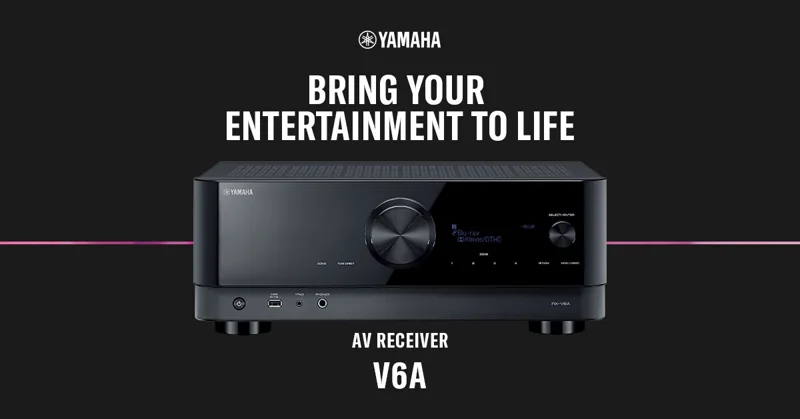 Yamaha RX-V6A ReceiverView at YamahaRead our analysis
The best home theater receiver supports the actual speakers and source devices. Count required amplifier channels first. Check audio decoding and video pass-through next. More unused channels do not prove better sound. These choices solve different layout needs.
1. Denon AVR-X1800H: seven channels for a modest theater
The X1800H is the smaller-channel Denon choice here. Its listed specifications include seven amps, Wi-Fi, Bluetooth and 8K video support. It fits a first 5.1 system with room to use two more channels later.
A powered sub has its own amp. The receiver's seven speaker amps still set the limit for ear-level and height channels. Check the assignment before adding speakers. Two sub sockets do not add two speaker amps.
Choose it when seven channels cover the actual plan. Compare the X3900H when the future layout calls for more. Keep the exact model suffix on your list so you do not confuse nearby names.
Our verdict:
Best mainstream 7.2-channel receiver
Best for A 5.1 or 7.1 room that needs current video support without nine channels.
View at DenonKeep in mind: It has less expansion room than a nine-channel receiver.
2. Denon AVR-X3900H: nine amps and separate sub control
Denon's current specification lists nine power amps and 11.4-channel processing. Those counts answer different questions. Processing handles more channels than the receiver can power alone. Extra amplification is a separate purchase when the layout needs it.
The manufacturer page also lists four independent sub outputs and six HDMI inputs. That fits several bass locations or many source devices. It is spare capacity, not a reason every 5.1 room should move up.
Denon lists Audyssey MultEQ XT32 and optional Dirac Live upgrades. Optional means not every license is included. Read the current license and microphone requirements before treating the upgrade as part of the box.
Choose this model when extra channels or separate sub control solve a written need. Skip it when seven channels cover the plan.
Our verdict:
Best for a larger Atmos layout
Best for A room needing nine amplified channels and several subwoofer outputs.
View at DenonKeep in mind: A simpler 5.1 room will leave much of its capacity unused.
3. Yamaha RX-V6A receiver: seven channels with MusicCast
The RX-V6A receiver is sold on its own, so choose a powered subwoofer separately if the room needs one. The receiver fits a seven-amplifier plan. Its listed specifications include Dolby Atmos, DTS:X, MusicCast and YPAO multipoint setup.
A 5.1.2 layout uses five ear-level speakers and two heights. It uses all seven amp channels. A powered sub does not use one.
Choose it when that layout matches the room. Do not plan a larger layout on the strength of an Atmos logo. Read the exact manual's speaker assignment before adding a second zone or height pair.
This receiver-only option suits a system that already has a suitable powered subwoofer or will add one separately. Network features matter for daily music. Check the services and devices you use. Network playback does not remove wires to ordinary passive speakers. Leave ventilation space and access to the rear panel.
Our verdict:
Best seven-channel MusicCast receiver
Best for A seven-channel room that needs MusicCast and can choose a separate powered subwoofer.
View at YamahaKeep in mind: A powered subwoofer is sold separately; seven amps still limit larger Atmos layouts.
Factors to consider when choosing the best home theater receiver
Start from your speaker layout, not the receiver
A receiver's job is to amplify speakers and decode or pass through audio and video signals between your sources and your screen. That means the right receiver is defined by what it needs to drive, which is decided earlier in the planning process. If you haven't settled on 5.1 versus a larger layout, or a packaged system versus a receiver-plus-separates approach, that decision comes first; shopping receiver spec sheets before knowing your channel count leads to buying either more receiver than you need or one that can't cover the layout you actually build.
The specs that matter
Channel count is the non-negotiable one. Count your speakers, including any height or upward-firing channels, and buy a receiver rated for at least that many amplified channels plus a subwoofer output. A receiver with one or two spare channels beyond your current layout leaves room to add height speakers or a second listening zone later without replacing the unit.
Power per channel needs test conditions. Check impedance, frequency range and channels driven. Compare like ratings. Keep the speaker load within the receiver's permitted range. More stated watts alone do not prove better sound.
Surround decoding determines the supported audio formats. Check your exact source and layout. An Atmos logo does not establish every amplifier assignment. Without a supported format, playback may use another track or mode. Confirm the reported signal rather than assuming one fallback for all devices.
HDMI specs matter more than people expect, especially for gaming or newer 4K displays. Check the receiver's HDMI version supports the resolution and refresh rate your sources output, and confirm eARC support if you want a soundbar-free, receiver-based setup to still pass full-quality audio back from a smart TV's built-in apps.
Room correction uses a supported measurement routine to set levels and timing, plus sometimes EQ. EQ changes level at different frequencies. The exact routine depends on the receiver. It does not fix unsafe mounting or a blocked speaker. Follow the microphone instructions and review the result.
Pre-outs and expansion options
Pre-outs supply an audio signal, not speaker power. They can feed a compatible external amp. Check the exact channels and supported assignment. A sub output is a different use from powering passive fronts. Do not assume every pre-out provides every expansion route.
Connectivity beyond HDMI
Count all source devices and their required inputs. HDMI alone is not the whole list. Check phono for a turntable and optical or coaxial inputs for older sources. Confirm which ports support the actual video formats. A total socket count does not answer that question.
Build quality and heat management
Use the receiver's specified ventilation clearance. Keep vents and airflow paths open. A closed cabinet needs a suitable heat plan. Do not invent one universal clearance for all models. Leave access to disconnect and service the unit.
Warranty and support
Read the current warranty for the model and seller region. Check who handles service and which firmware notes apply. A longer warranty is not proof of lower failure rates. Keep current support terms separate from general brand reputation.
Matching headroom to your plans
Buy for where your system is going, not just where it is today. If there's a real chance you'll add height channels, a second zone, or move to a larger room later, a receiver with two or three spare channels and broader format support costs a bit more now but avoids an early replacement. If your layout is genuinely fixed and small; a simple 5.1 in a room that won't change; there's little reason to pay for channels and features you'll never use.
Multi-zone and streaming features
For another audio zone, check simultaneous channel assignment and supported sources. A zone may share amps with the main room. List the actual music services and devices you use. Network audio and extra zones solve different tasks. Do not buy unused functions solely for a longer feature list.
Software support and long-term reliability
Check current firmware notes for the exact model. Hardware and software both set supported formats. Do not assume a future update will add a missing function. A maker's history is not a promise for this unit. Buy for verified current needs.
Front-panel and app control
Check the control methods the household will use. A remote, front panel and app can do different jobs. Confirm the actual model's functions. Keep a usable routine for input and volume. Do not assume an app is required or supported for every task.
Setting up a new receiver for the first time
Follow the connection instructions with power disconnected as required. Match channel labels and polarity. Check the source format and intended route. Run room setup after the speakers are placed. Review current firmware notes, but do not assume every update fixes your problem or can be skipped safely.
Common mistakes
- Buying channel count based on today's speakers only, then having no way to add height channels or a second zone without replacing the receiver.
- Chasing power ratings without checking impedance matching. A high wattage number paired with the wrong impedance range doesn't help and can cause problems.
- Skipping the HDMI spec check. A receiver that can't pass through your TV's full resolution or refresh rate becomes a bottleneck between a good source and a good display.
- Assuming room correction fixes bad speaker placement. It's a refinement on top of reasonable placement, not a replacement for getting the basics right.
- Paying for multi-zone or streaming features you won't actually use. Match the feature set to how the household really uses the system, not to the longest spec sheet.
- Ignoring firmware and software update history. A receiver that stops receiving updates can fall behind on newer formats over time, which matters more the longer you plan to keep it.
How we picked the best home theater receiver choices
We compared the selected X1800H, X3900H and RX-V6A listed specifications. The order separates a modest seven-channel room from a larger nine-amp plan and a MusicCast receiver-only route with a separately chosen powered subwoofer. A maker's two-channel power rating is not converted into an all-channels result here.
Denon's current X3900H manufacturer page supports the amp and processing, plus sub-output distinctions below. The Yamaha receiver facts are checked against its maker specification; the RX-V6A is a receiver-only option; a powered subwoofer is sold separately. Other unchanged facts retain their September 26 check. Confirm the exact variant and required formats before purchase.
Match channels, source formats and setup needs to the real room. Use the complete system plan before choosing. For building work, check the custom guide. Keep those tasks separate from a price-tier label.
Draw the speaker layout and count the channels needing an amp. Note which subs are powered. List all HDMI sources and display outputs. Those counts narrow the field more usefully than a headline watt rating.
Compare power under the same conditions. Denon's X3900H page labels its 105-watt rating as an 8-ohm, two-channel test. That is not a nine-channel measurement. We do not convert it into one.
Check the manual for ventilation and safe speaker loads. Check current firmware notes for your video needs. The best home theater receiver supports the real layout without relying on an unverified feature or future update.
Questions people also ask
How many channels do I actually need?
That depends entirely on your speaker layout, not the other way around. A 5.1 setup needs at least five amplified channels and a subwoofer output; adding height speakers for Atmos means seven or nine channels. Decide the speaker layout first, then buy a receiver that covers it with some headroom.
Does more power always mean a better receiver?
No. Power ratings are only meaningful next to the impedance they're measured at, and most rooms don't need anywhere near a receiver's maximum rated output at normal listening volumes. Matching the receiver's channel count, decoding formats, and HDMI specs to your actual setup matters more than chasing a bigger wattage number.
Do I need Dolby Atmos decoding if I don't have height speakers yet?
Not immediately, but buying a receiver that supports it now avoids replacing the whole unit later if you add height channels or upward-firing modules down the line. It's a reasonable feature to future-proof for even if you're not using it on day one.