
3 Best Dolby Atmos Soundbars in 2026
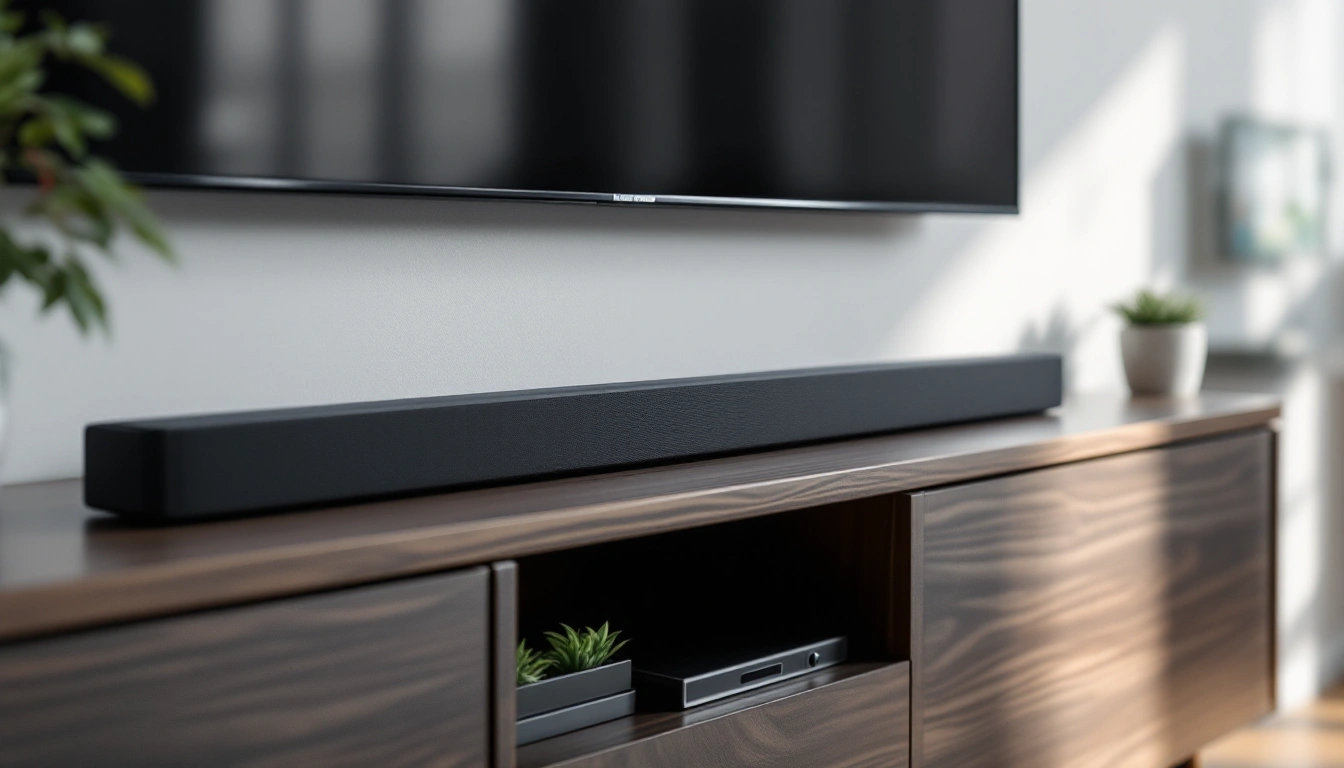
The short answer
Best for: buyers who want a real height effect without a full speaker install. Skip if your room's ceiling or seating layout works against upward-firing drivers; check that before you shop by channel count.
Our top 3 picks
- 1Best complete Atmos package
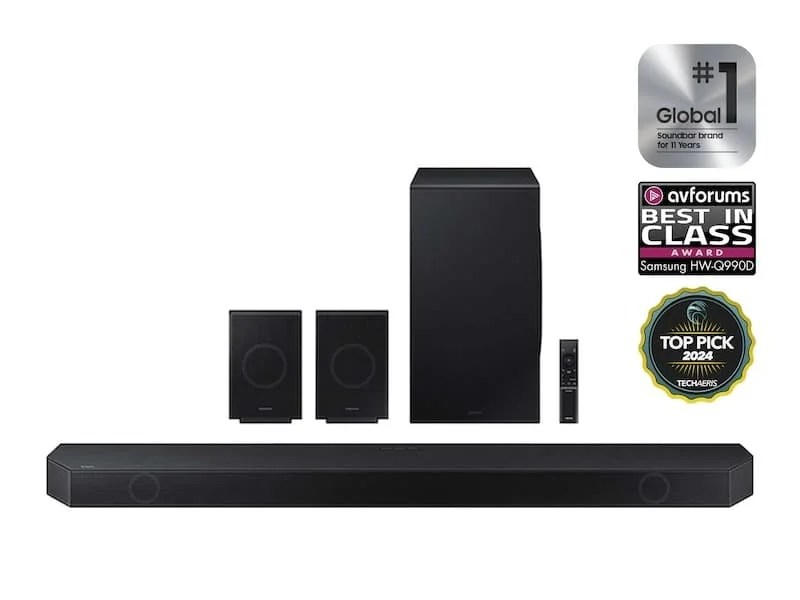 Samsung HW-Q990DView at SamsungRead our analysis
 - 2Best single-bar upgrade path
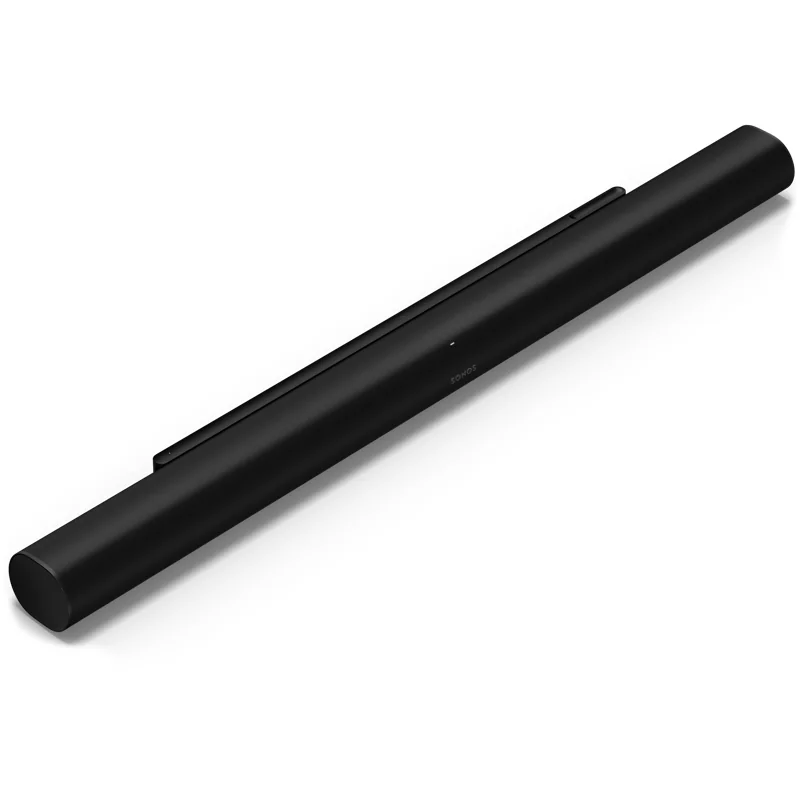 Sonos Arc UltraView at SonosRead our analysis
 - 3Best complete Q990F package
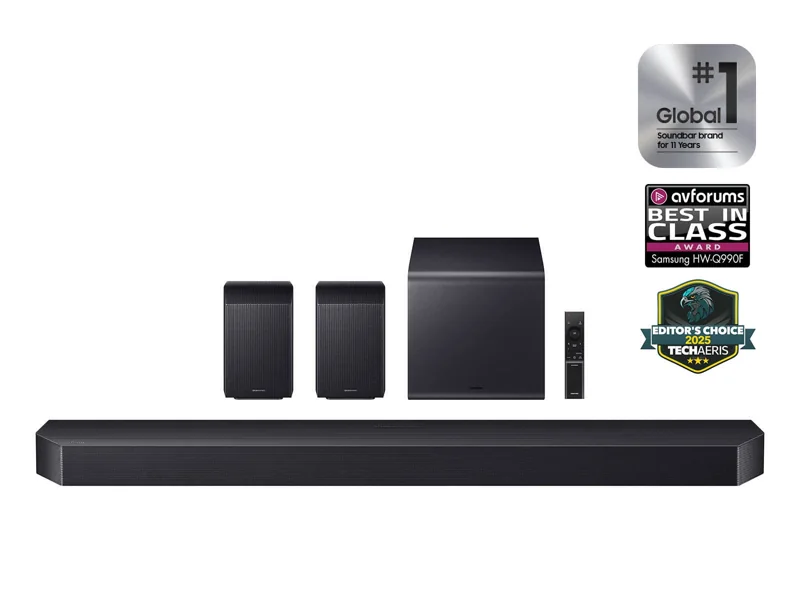 Samsung HW-Q990FView at SamsungRead our analysis
The best Dolby Atmos soundbar fits your room and source path. Check where its drivers send sound and where rear units will sit. A large channel number alone does not settle the choice. A difficult ceiling needs a placement check, not a promise that virtual height always solves it.
1. Samsung HW-Q990D: Atmos with the rear kit included
The Q990D is the complete-package route. Its listed specifications include an 11.1.4 layout, rear speakers and SpaceFit room calibration. Choose it when you have usable rear positions and want the listed boxes together. It is not the best fit for a room that can hold only the bar.
Check the reflection path
Put the bar in the open as its setup guide requires. Check the ceiling over the seats. An Atmos logo cannot make a blocked top driver or steep ceiling behave like an ideal reflection path. Keep the height claim separate from the included rear speakers, which occupy real positions around the seats.
Check the outer seats too. A reflection heard clearly in the middle may be weaker at one end of the sofa. Before keeping a listening mode, use the same scene at the same level in each seat. This is a suggested room check, not a test we claim to have performed.
Plan the extra boxes
The rear kit and sub need safe places and power. Mark them on your drawing before you compare models. Do not hide the rear speakers where furniture blocks their driver paths. A supplied package is only useful when you can use the parts.
Choose the Q990D when the complete layout is ready. Choose the Arc Ultra when one bar now is the practical limit. For the Q990F comparison, use verified connection and feature differences rather than assuming the later model wins every sound test.
Our verdict:
Best complete Atmos package
Best for A room that can place the included subwoofer and rear speakers.
View at SamsungKeep in mind: The extra speakers need more space and outlets than a one-bar setup.
2. Sonos Arc Ultra: one bar with a compatible upgrade path
The Arc Ultra starts without a separate sub and rear pair. Its listed specifications makes those optional Sonos additions. That suits a room where you can add boxes later. It also means a complete expanded system is a different purchase from the bar alone.
Sonos's manufacturer page confirms Dolby Atmos, HDMI eARC, Trueplay and Night Sound. It lists the bar at 46.38 inches wide, 2.95 inches high and 4.35 inches deep. Compare that footprint with the TV's feet and remote sensor. A TV diagonal is not a stand-clearance measurement.
Confirm the format reaching the bar
The manufacturer page lists Atmos through Dolby Digital Plus. It also lists formats needing eARC, including Dolby TrueHD and Atmos through TrueHD. The TV and source must pass that format correctly. A label on the bar alone is not enough.
Check the app's reported format during playback. Then verify the service plan and title, plus source device if Atmos is missing. Do not add unrelated adapters until you know which link in the chain is limiting the format. Optical is a fallback, not an Atmos connection for this bar.
Add only supported speakers
The reviewed manufacturer page describes Sonos Sub and Era 300 expansion. It does not permit arbitrary Bluetooth speakers as rears. Check exact compatibility when reusing an older Sonos device. Similar branding is not a complete pairing specification.
The single-bar route makes sense when expansion can wait. A Samsung package makes more sense when rear positions and outlets are ready now.
Our verdict:
Best single-bar upgrade path
Best for Someone who wants one bar now and may add a Sonos subwoofer or rear speakers later.
View at SonosKeep in mind: A full surround setup requires separately sold Sonos speakers.
3. Samsung HW-Q990F: another complete Atmos package
The Q990F listed specifications include 11.1.4 channels, a sub, rear speakers and SpaceFit calibration. Its fit is a room ready for the whole set. Check that the exact offer includes those units before treating the Q990F name as a full box-content list.
Use a specific reason to choose the newer model
Compare the manual's source connections and features with the Q990D. Record the feature that changes your own setup. We have no same-room measurements supporting a claim that the newer package always sounds better. Keep preference separate from a measured result.
The listed calibration routine still needs sensible speaker positions. It cannot create an outlet behind the sofa or move a tall cabinet away from a driver. Fix the physical plan first. Run setup after the speakers reach their final positions.
Check ordinary listening as well as Atmos
Use daily TV and quiet dialogue when choosing settings. A dramatic overhead scene is only one part of the job. If a mode makes speech harder to follow, compare it with the standard mode at equal volume. Do not choose solely by the loudest demo.
Choose this package when its verified fit and functions solve your room's needs. Skip it when you cannot place the rear units. The best Dolby Atmos soundbar still needs a workable room plan, even when it comes with every audio box.
Our verdict:
Best complete Q990F package
Best for A room that can place the included subwoofer and rear speakers around the seating area.
View at SamsungKeep in mind: The soundbar, subwoofer and rear speakers each need suitable placement and power.
Factors to consider when choosing the best Dolby Atmos soundbar
Start with your room, not the shopping list
Before comparing any bars, answer three questions about the room the soundbar will actually live in:
- How high and how flat is the ceiling? Upward-firing drivers need a fairly low, flat, hard ceiling surface to bounce sound back down toward the seats. A vaulted, very high or sloped, or else acoustically soft ceiling (heavy texture, some tile, exposed beams) weakens that reflection no matter how many height channels the bar claims.
- How wide is the seating row? A soundbar's front soundstage has to cover the width of your seating, not just the width of the TV stand. A single wide couch against a narrow bar can leave people on the ends hearing a noticeably thinner front image than the person dead-center.
- Is this a dedicated room or a shared space? A shared living room usually means daytime viewing at lower volumes and less tolerance for a large rear-speaker setup running wires across the floor; factors that push toward a simpler bar-plus-sub combination over a bar with add-on wireless rears.
Use these facts to compare room fit. They narrow the choice before a channel number does.
What the channel numbers actually tell you
Every Atmos soundbar is labeled with a three-number code, like 5.1.2 or 7.1.4. The pattern is consistent across brands:
- First number; main channels. Front left, center and right, plus any built-in side channels the bar can steer sound toward. A higher number here generally means a wider, more distinct front and side soundstage.
- Second number; subwoofer count. Almost always 1, occasionally 2 on higher-tier bundles. This channel carries the low end that the bar's small drivers can't reproduce cleanly on their own.
- Third number; height channels. The upward-firing (or virtual) channels responsible for the Atmos "overhead" effect. Two height channels are common on mid-range bars; four is typical on bars marketed as a fuller surround-plus-height replacement for a real speaker system.
More height channels only help if the ceiling and room support them. A 7.1.4 bar in a room with a vaulted ceiling can end up sounding less convincing overhead than a well-placed 5.1.2 bar in a room with a flat, low ceiling; the room, not the number, sets the ceiling on performance (literally, in this case).
Upward-firing drivers vs. height virtualization
These are two different ways of creating the same illusion, and neither is universally "better"; they suit different rooms.
Upward-firing drivers physically angle small speakers toward the ceiling so the sound bounces back down to the listening position. Done well, in a room built for it, this is the more convincing and more physically real height effect. Done in a room with the wrong ceiling, it's wasted engineering; the reflection scatters or gets absorbed and the height layer just disappears into the rest of the mix.
Height virtualization uses processing to suggest height. It does not use the same path as an upward driver's ceiling reflection. Results still depend on the listener and setup. Check the supported modes from your actual seats.
Check the actual ceiling against the model's requirements. Do not assume an 8-to-9-foot label proves a good reflection path. Beams and surface angle matter too. Compare supported height methods rather than promising one fallback always works.
Expansion path: what you can add later
Soundbars vary a lot in how much they let you build out the system later without replacing the bar itself:
- Wireless subwoofer support. Nearly universal on Atmos-capable bars, and worth using from day one if it's included; the low end matters more to how "big" an Atmos mix feels than most buyers expect going in.
- Wireless rear speaker support. Many mid-to-high-tier Atmos bars support optional rear speakers that add real rear-channel sound instead of a simulated one. This is the single biggest jump in realism available after the initial bar-and-sub purchase, and it's worth checking for even if you don't plan to buy the rears immediately; retrofitting compatibility later is much easier than replacing an entire bar that never supported it.
- Fixed, non-expandable bars. Some bars, especially compact or budget-tier models, are a closed system with no add-on path. That's a reasonable choice for a small room where you're confident you'll never want rear speakers, but it's worth confirming before buying if there's any chance your needs grow.
Connectivity: the unglamorous spec that actually matters
How the soundbar connects to your TV and sources affects how much of the Atmos mix actually reaches your ears:
- HDMI eARC is the connection to look for on a modern TV. It passes the full, uncompressed (or losslessly compressed) audio bitstream, including Atmos metadata, with enough bandwidth that nothing gets stripped out along the way.
- HDMI ARC (without the "e") is the older version, common on TVs from several years back. It can pass Atmos in a compressed form on many setups, but it's more bandwidth-limited and occasionally runs into compatibility quirks depending on the TV and source device.
- Optical audio cannot carry Dolby Atmos at all; it lacks the bandwidth for the object-based metadata the format needs. It's a fine backup connection for basic stereo or standard surround sound, but it quietly caps you out of the exact feature you bought the bar for.
- Bluetooth is convenient for casual music streaming from a phone but isn't the connection to rely on for movie or TV audio; bandwidth and latency limits make it unsuitable for a full Atmos bitstream.
For an eARC route, check the matching port at both ends. Read the actual TV labels and settings. Do not assume every HDMI socket returns audio.
Placement basics that affect what you actually hear
A soundbar performs differently depending on where it sits, regardless of its spec sheet:
- Center it on the screen, not the furniture. Off-center placement pulls dialogue and on-screen sound visibly toward one side of the room.
- Keep it unobstructed. A soundbar tucked behind a soundbar-height TV stand lip, inside a cabinet with doors, or blocked by decor loses both direct clarity and the ceiling-bounce path that upward-firing drivers depend on.
- Match width to the room, loosely. A bar noticeably narrower than a wide seating row will have a harder time filling the space evenly; a bar much wider than the TV can look and sometimes sound oddly imbalanced relative to the screen.
Use Atmos placement for separate speakers. A bar's driver layout needs its own manual.
Soundbar vs. a fuller surround system
Compare the room tasks, not a universal winner. A bar can reduce separately chosen boxes. A receiver allows independent speaker positions within its limits. Use the bar-versus-surround guide for that decision. The complete system guide covers the larger plan.
Common mistakes when shopping for an Atmos soundbar
- Buying on channel count alone. A 7.1.4 bar in a room that can't support the reflection path for height channels will underperform a well-matched 5.1.2 bar in a better room. Match the number to the room first.
- Skipping the eARC check. A bar with full Atmos support connected through a non-eARC HDMI port or optical cable won't deliver the mix it's capable of; confirm both the bar and the TV support eARC before assuming the connection is fine.
- Ignoring the expansion path. If there's any real chance you'll want rear speakers within a year or two, buying a closed, non-expandable bar now means a full replacement later instead of an add-on purchase.
- Placing it off-center or obstructed. Even the right bar, in the right room, underperforms if it's shoved to one side of the console or blocked by cabinet doors.
Room calibration and auto-EQ
Check the model's actual room-setup method. Samsung lists SpaceFit. Sonos lists Trueplay for Arc Ultra. Follow each system's own instructions.
Do not assume all routines measure the ceiling the same way. Fix blocked drivers and poor positions before relying on tuning.
A few things worth knowing about calibration in practice:
- It's a starting point, not a guarantee. Auto-calibration corrects for gross room issues; a couch pushed unusually close to a wall, an oddly shaped room; but it won't fix a fundamentally poor ceiling for upward-firing drivers or a soundbar placed somewhere badly obstructed.
- Furniture changes can make it stale. Rearranging the room, adding a rug, or moving the couch can shift how sound behaves enough that it's worth re-running calibration rather than assuming the original settings still hold.
- Manual sound modes still matter. Beyond auto-calibration, most bars offer selectable modes (movie, music, dialogue-focused, night) that shape the sound differently for different content. A calibrated system still benefits from switching modes to match what's actually playing.
Dialogue clarity and night mode
Two features that matter more day-to-day than the Atmos effect itself for a lot of households:
- Dialogue enhancement or "voice boost" modes push center-channel content; mostly speech; forward relative to music and effects. This is worth having if anyone in the household has ever had to turn subtitles on for regular TV, and it's a completely separate feature from Atmos height processing, so don't assume a bar has it just because it supports Atmos.
- Night or late-listening modes compress the dynamic range so quiet dialogue stays audible while loud effects (explosions, music swells) don't spike as sharply. This trades some of the "big" dynamic feeling of a mix for the ability to watch a movie at low volume without waking the rest of the house; a genuinely useful feature for shared or multi-story homes, and one that's easy to overlook while comparing Atmos channel counts.
Music, streaming, and multi-room features
Check everyday TV and music needs as well as Atmos. Review these functions on the exact model:
- Wireless streaming protocols. Support for common casting standards varies by brand and model, and affects how easily you can play music from a phone or streaming service without a physical connection.
- Multi-room or whole-home audio. Some soundbar lines integrate with a broader speaker ecosystem from the same brand, letting the bar act as one zone in a multi-room setup. This is a real convenience if you already own or plan to own other speakers in that ecosystem, and irrelevant if you don't.
- Stereo music performance. A bar tuned heavily for movie effects doesn't automatically sound great with plain stereo music; if music listening matters to you, it's worth weighing reviews or demos of two-channel performance specifically, not just the Atmos movie demo clip most retailers play in-store.
Build, mounting, and fit against your TV
A few physical-fit questions that are easy to skip past while comparing feature lists:
- Wall-mount vs. shelf-sitting. Many bars support wall mounting either directly under a mounted TV or via an included/optional bracket. If you're mounting the TV, check whether the bar's mounting hardware and hole spacing are actually compatible with your TV's bracket layout, since the two can compete for the same wall space.
- Width relative to the TV or stand. A bar that's much wider than the TV above it can look and feel mismatched, while one much narrower may not have the internal driver spacing needed for a wide, stable soundstage. Most buyers do best matching the bar's width reasonably closely to the screen or stand it's paired with.
- Remote and control redundancy. Most bars support control through a TV remote (via HDMI-CEC) as well as their own remote and an app. Confirm CEC works with your specific TV brand if you're hoping to avoid juggling two remotes; it usually does, but it's not universal across every TV and bar combination.
A short buying checklist
Pulling the sections above into an order to actually shop by:
- Assess your ceiling (height, flatness, material) and seating width first.
- Decide whether upward-firing drivers or virtualization better fits that room.
- Pick a channel count (5.1.2, 7.1.4, etc.) that matches the room, not the biggest number available.
- Confirm HDMI eARC support on both the bar and your TV.
- Check the expansion path for a wireless sub and rear speakers, even if you're not buying them yet.
- Look for dialogue enhancement and night mode if everyday TV clarity matters as much as movie nights.
- Confirm physical fit; width against the TV or stand, and mounting compatibility if you're wall-mounting.
How we picked the best Dolby Atmos soundbar choices
We compared the three selected listed specifications by package contents, room fit and expansion. The Samsung choices include rear speakers and a sub. Arc Ultra starts with one bar and supported optional additions. There is no invented score or current-price ranking.
Sonos's manufacturer page confirms the Arc Ultra dimensions, eARC format notes and expansion used below. Samsung facts remain specifications checked on September 26. Check exact seller variants and the source path before purchase. Choose between a complete package and one bar before comparing extra functions.
Use the channel-count, driver-type, and connectivity checks above to confirm fit before buying, and cross-check against your ceiling and seating layout.
Source format and ceiling are separate checks
First confirm Atmos reaches the soundbar. Then check the height-driver path and ceiling. Fixing a format problem does not fix a reflection problem. Conversely, a suitable ceiling does not give an ordinary stereo stream Atmos metadata.
Count the powered units
Include the bar and sub, plus rear units in the outlet plan. Keep cords away from walkways. For any new electrical work or load-bearing mount, get qualified help. A product manual does not verify your building's wiring or wall.
Choose the expansion sequence
For Arc Ultra, write a two-stage equipment list. The first stage is the bar and its supported TV connection. The second is the exact compatible Sonos sub and rear pair you may add. Put those later boxes on the room drawing now. Their purchase date does not change their space or outlet needs.
For a Samsung package, check the included rear pair and sub on the exact offer. Count powered units and any receiver unit in its wiring diagram. Do not borrow an outlet count from another package or photograph. This makes the routes comparable without using a stale price.
Keep the source path on the same sheet. Sonos marks TrueHD and Atmos via TrueHD as eARC-required for Arc Ultra. A streaming Atmos track can use a different format. Check the TV's actual pass-through and reported incoming format.
One working app does not accept every disc or game source. These are listed format limits, not our listening or latency results.
Buy the complete package when you can use it. Choose one bar when that is the real room limit. Confirm supported add-ons before planning later purchases. Our general soundbar comparison explains those different routes without treating channel count as a sound score.
Questions people also ask
What does the 5.1.2 or 7.1.4 number on a soundbar box mean?
The first number is front and side channels, the middle number is subwoofer count, and the last number is height (Atmos) channels. A 5.1.2 bar has five main channels, one sub, and two height channels; a 7.1.4 adds more surround and height channels for a wider, more enveloping effect; assuming the room supports it.
Do I need a separate subwoofer with an Atmos soundbar?
Most Dolby Atmos soundbars ship with or support a wireless subwoofer, and it's worth using; the bar's built-in low end is usually limited by its size, and the deep bass in movie soundtracks is a big part of what makes the format feel immersive.
Is a more expensive Atmos soundbar always the better choice?
No. A higher channel count or premium build only pays off if your room can actually use it; a wide seating row and a flat, low ceiling reward more height channels, while a small room or virtualization-only setup may sound just as good on a simpler bar. Match the bar to the room, not the spec sheet alone.